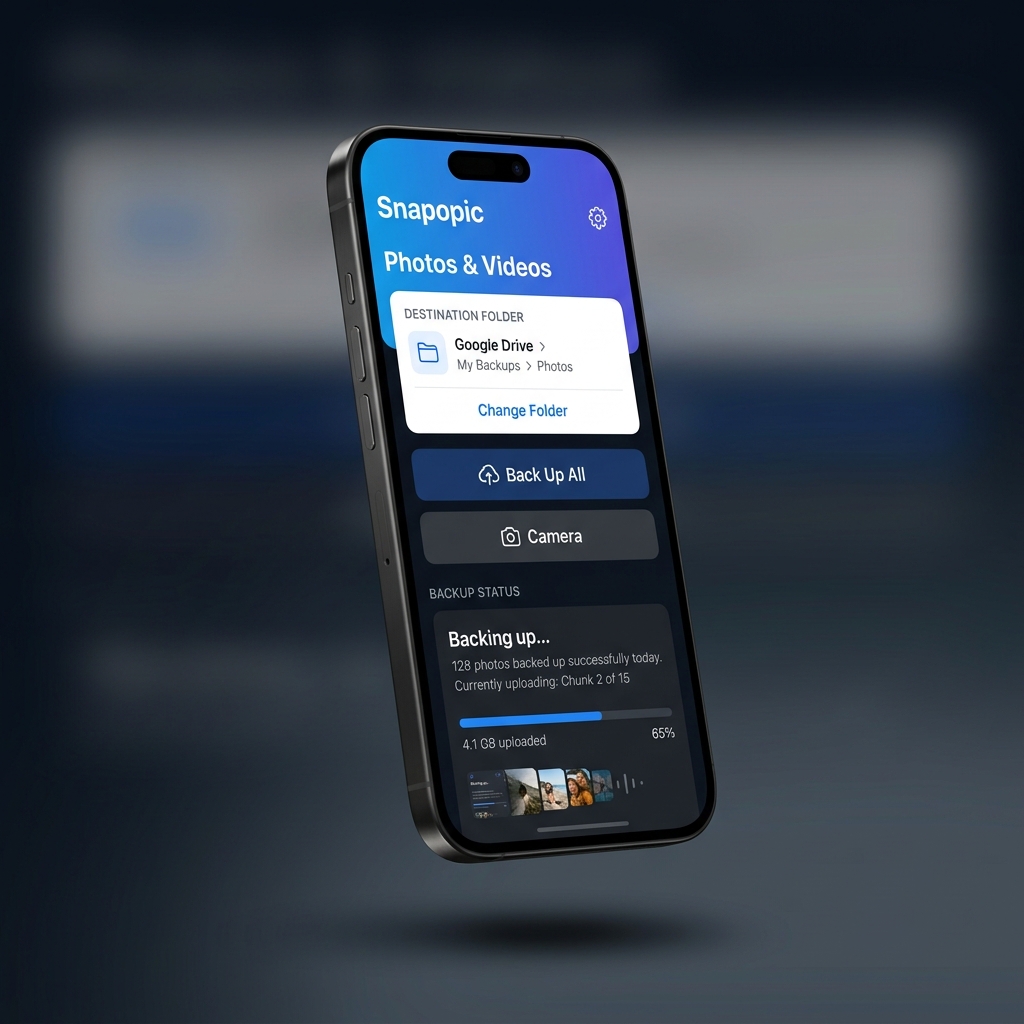
Now on iOS

Snap. Upload.
Done.

Back up your entire iPhone photo library to Google Drive — automatically, in the background, with full metadata preserved. Browse, manage, and restore your memories in one tap.

100% Free Forever
EXIF Metadata Kept
Photos & Videos
Snapopic App Screenshot
324 photos backed up
Uploading Chunk 2/13

Everything your photos deserve

Built for people who care about their memories — and their storage.

One-Tap Backup

Select your Google Drive folder, tap "Back Up All", and walk away. Snapopic handles the rest efficiently in the background.

Backup Gallery

Browse a visual grid of every item backed up to your Drive. See thumbnails and file sizes directly within the app.

Instant Restore

Accidentally deleted a photo? Restore any backed-up item from your cloud back to your iPhone gallery with one tap.

Secure & Private

OAuth 2.0 authentication directly with Google. We never see, store, or touch your credentials or private photos.

Multi-Account Support

Hit the 15 GB limit? Switch to a different Google account seamlessly and keep backing up without stopping.

Storage Optimization

Automatically clean up temporary cache and safely remove uploaded items from your device to reclaim space.

Three taps to peace of mind

1

Sign In with Google

Authenticate securely with your Google account using OAuth 2.0. Your credentials never leave your device.

2

Pick a Drive Folder

Browse your Google Drive folders and select exactly where you want your memories to live.

3

Manage & Restore

Browse your cloud backup in the built-in gallery. View thumbnails and restore any photo to your device at any time.

Snapopic

Got questions?

Is Snapopic really free?

Yes, 100% free. No subscriptions, no in-app purchases, no ads. We built this to solve our own backup problem and decided to share it.

Does it compress my photos?

No. Snapopic copies the raw original bytes of every photo and video. Zero compression, zero quality loss. Your originals land on Drive exactly as they are on your phone.

What happens when I run out of Google Drive space?

Snapopic automatically pauses after uploading your chosen limit (default 10 GB) and prompts you to switch to a different Google account. You can use unlimited free Google accounts to back up your entire library.

Does it work with videos?

Absolutely. Photos, videos, Live Photos, screenshots — everything in your library gets backed up with its original filename and metadata.

Can I delete photos from my phone after backup?

Yes! Snapopic has a built-in "Clean Gallery" button that removes only the photos that have been successfully uploaded to Drive, freeing up your device storage.

Ready to free your storage?

Download Snapopic and back up your entire photo library in minutes — not hours.

Download for iOS